Step-By-Step Voting Guide
A Visual Step-By-Step Guide and What You Will See Online
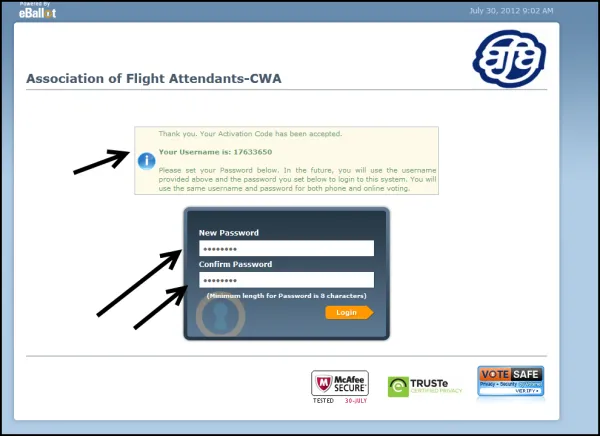
a) You should then click ‘login’

b) You will then get a new message alerting you to copy down your username.
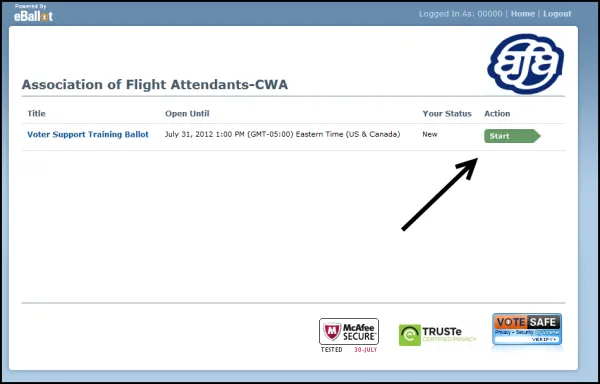
c) You should then click on the ‘action’ button next to the name of the ballot you wish to vote on.
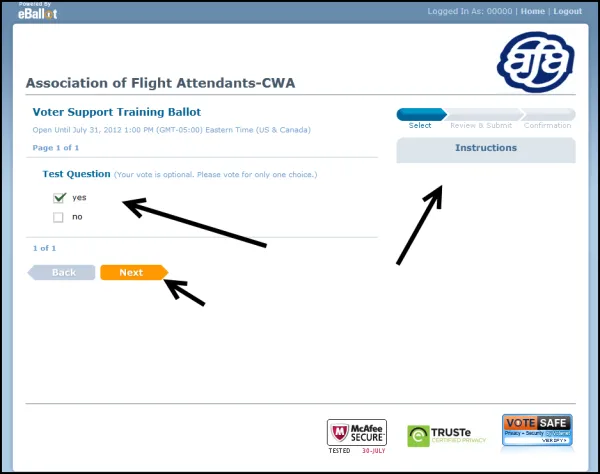
d) Please read any questions, mark your choice, and click next. Please note that if there are any additional details or instructions, they will be listed under the ‘instructions’ tab.
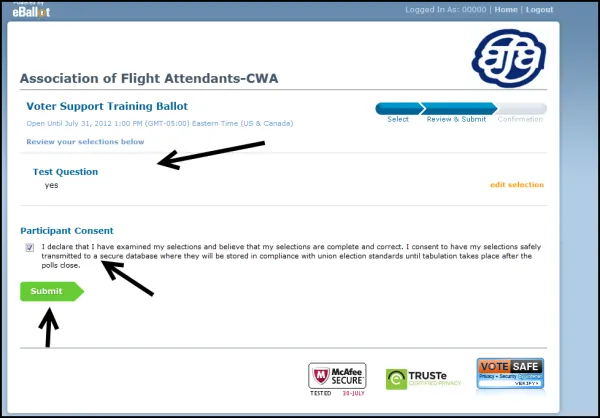
e) You will then have a chance to review your choice(s), and then you MUST check the ‘participant consent’ statement AND click submit to cast your ballot.
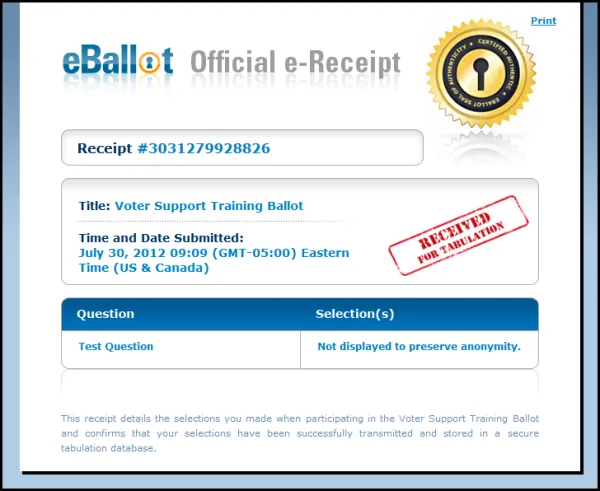
f) You will then receive a confirmation number and be able to access a receipt. NOTE THAT THE RECEIPT DOES NOT SHOW YOUR CHOICE(S).
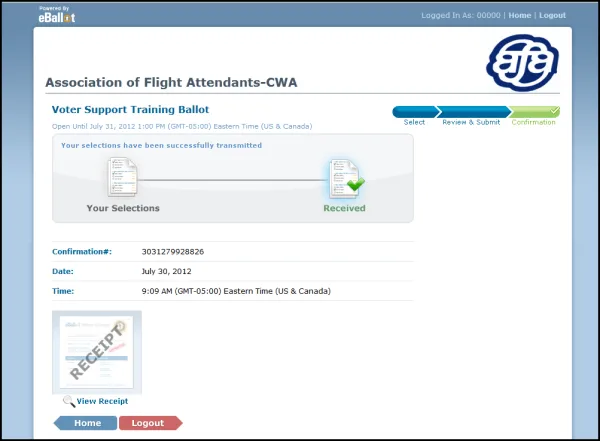
Sample Receipt